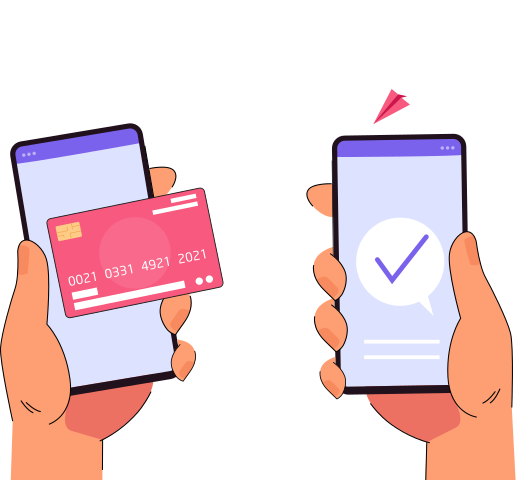
Now you can accept payments directly on your iPhone with Pokato’s iOS tap-to-pay feature. No card readers or terminals are required. The best part, Pokato charges the same fee when a real transaction happens. Pay $3 or $3,000, 5 cents per transaction. No hidden fee.


iOS Tap to Pay with Pokato
Accept payments. Anywhere. Instantly.
With Pokato, your iPhone becomes your payment tool. Accept Apple Pay, Google Pay, physical contactless cards, and digital wallets without relying on a separate terminal. Payments stay quick, simple, and ready wherever your business takes you.
Why Use iOS Tap to Pay with Pokato

Turn Your iPhone Into POS
Take contactless payments straight from your iPhone using NFC, no extra devices, no setup headaches, no hardware to carry.
Fast, Touch-Free Checkout
Customers simply tap their card or wallet to pay, helping you move faster and avoid delays during peak hours.
Lower Setup, More Freedom
Get started without buying hardware, making Pokato a great fit for mobile teams, pop-ups, and growing businesses.
Countries
List of available countries

All You Need to Use iOS Tap to Pay with Pokato

Supported iPhone Models
Pokato works with iPhone XS and newer models, allowing you to accept contactless payments directly from your device.

Up-to-Date iOS Software
Your iPhone must be running iOS 16.7 or later, with newer versions required in select regions based on local availability.

Latest Pokato App
iOS Tap to Pay is available on Pokato version 2.0 or above, ensuring secure and reliable contactless payment support.
FAQs
No. Pokato makes your iPhone the acceptor. It eliminates the need for card readers, terminals, or clunky add-ons.
Depending on customer preference and the card issuer, you can use Apple Pay, Google Pay, and physical contactless cards.
Yes. Payments are encrypted and processed through our backend, powered by Stripe, the easiest way to accept card payments online.
iPhone XS and later models are included, so long as the device is running an iOS version that supports them.
Restrictions vary by card issuer and country. Customers may be asked to provide a PIN or biometric authentication for larger amounts.
Indeed. iOS Tap to Pay is perfect for pop-ups, events, field sales, and mobile teams that require quick, flexible payments.
If tapping is not an option, Pokato also includes other payment methods, such as Card Scan and Pay link, to make sure you don't miss a sale.
Old-fashioned machines are hardware and hassle. With Pokato, everything is done on your iPhone, so the cost and payment process are easy.
To use Tap to Pay, install the Pokato app, link your Stripe account, and verify that you meet the required iOS version and iPhone model. Tap to Pay is integrated into the app.
Make sure you have turned on the NFC function, your iPhone is on the latest iOS version, and you are using the latest Pokato app. Tap to Pay works automatically after setup.
Accept Payments
on your phone today
Available on App Store and Google Play.